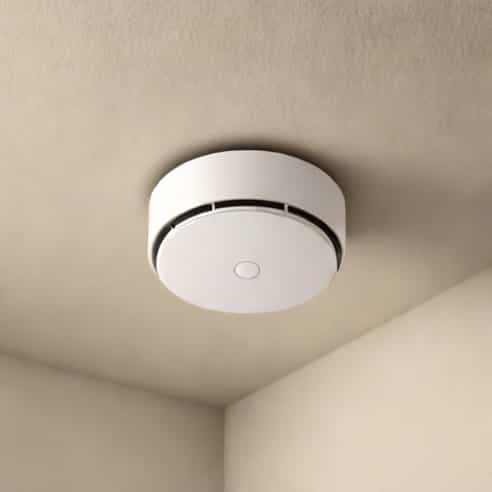
Hearing your Kidde smoke alarm beeping can be annoying, especially when it happens in the middle of the night or for no apparent reason. However, those beeps are never meaningless. They’re a sign that your smoke detector is trying to communicate something important whether it’s a low battery, a maintenance issue, or an alert about smoke or carbon monoxide. Understanding why your Kidde smoke alarm is beeping can help you stay safe and avoid unnecessary stress. This guide explains the possible causes, meanings, and solutions for every type of beep, so you can restore peace of mind in your home.
Understanding the Kidde Smoke Alarm Beeping Pattern
When your Kidde smoke alarm beeps, the pattern of the sound is crucial. Different beep sequences mean different things. Instead of simply silencing the alarm, pay attention to how often and how long it beeps. Kidde designs its alarms to use distinct sound patterns to indicate various problems or alerts.
Common Beeping Patterns and Their Meanings
- One short beep every 30 to 60 secondsUsually indicates a low battery that needs to be replaced soon.
- Continuous loud alarmThis means the detector has sensed smoke or fire. You should leave the building immediately and investigate the source safely.
- One beep every 30 seconds with a flashing red lightCould mean the unit is malfunctioning and needs to be replaced.
- Four beeps followed by a pauseTypically a carbon monoxide alarm (for combination units).
- Three beeps followed by a pauseIndicates a smoke detection alarm.
Each sound pattern is designed to be easily distinguishable, helping you quickly identify whether you need to replace a battery or respond to a real emergency.
Common Reasons Your Kidde Smoke Alarm Is Beeping
While the beeping pattern gives an important clue, there are several underlying causes. Knowing them can help you fix the problem efficiently without unnecessary replacements or frustration.
1. Low Battery
The most common reason for a Kidde smoke alarm beeping is a low battery. Even if your alarm is hardwired into your electrical system, most models have a backup battery that powers the unit during outages. When that backup battery gets weak, the alarm will chirp intermittently to alert you.
To fix this, replace the battery with a new one. Most Kidde smoke alarms use 9-volt or AA batteries. After replacing, press and hold the test button for 15 seconds to reset the alarm. If the beeping stops, the issue is resolved.
2. Dirt, Dust, or Insects Inside the Unit
Smoke detectors are sensitive devices. Even a small amount of dust or debris inside can trigger false alarms or random chirping. Over time, airborne ptopics can accumulate inside the sensing chamber, confusing the device into thinking there’s smoke.
To fix this issue, remove the alarm from its base, open the cover, and gently clean the inside using a soft brush or a can of compressed air. Avoid using water or harsh chemicals, as they can damage the sensor. Reinstall the unit once it’s clean and test it again.
3. Sensor End of Life
Most Kidde smoke alarms have a lifespan of about 7 to 10 years. After that time, the internal sensors lose accuracy, and the unit will start beeping to indicate it needs replacement. The device usually gives a single chirp every 30 seconds along with a yellow or red flashing light.
Check the back of your alarm for the manufacture date. If it’s more than a decade old, it’s time to replace it. Keeping old smoke detectors in your home can be risky because they may fail to detect actual smoke or carbon monoxide in time.
4. Temperature or Humidity Changes
Another reason your Kidde smoke alarm might be beeping is due to environmental factors. Excessive humidity, steam from showers, or heat from cooking can set off the sensor. Similarly, extreme cold can affect the internal battery or cause condensation inside the device.
To prevent this, avoid installing smoke alarms too close to kitchens or bathrooms. If beeping occurs during or after showering or cooking, ventilate the area to restore normal conditions.
5. Electrical Issues (for Hardwired Models)
If your Kidde smoke alarm is hardwired into your home’s electrical system, a brief power outage or wiring issue may cause it to beep. A surge or flicker in the power supply can momentarily interrupt the alarm’s circuit, triggering a warning chirp.
To fix this, turn off power at the circuit breaker, remove the alarm, and inspect the wiring for loose or damaged connections. If the problem persists, contact an electrician or the manufacturer’s support service for help.
How to Stop the Beeping on a Kidde Smoke Alarm
Stopping the beeping depends on what’s causing it. Simply pressing the reset button may silence it temporarily, but if the underlying issue isn’t fixed, it will start again. Follow these steps to properly stop the beeping
- Press and hold theTest/Resetbutton for about 15 seconds to silence the alarm temporarily.
- Replace the battery with a fresh one, even if the old one isn’t completely dead.
- Clean the device using a vacuum or compressed air to remove any dust or debris.
- Check the expiration date and replace the alarm if it’s over 10 years old.
- Make sure the unit is correctly mounted and not exposed to extreme heat or moisture.
If none of these steps work, the alarm’s internal components may have failed, and replacing the unit is the safest option.
Maintaining Your Kidde Smoke Alarm
Regular maintenance ensures that your Kidde smoke alarm continues to protect your home effectively. A beeping alarm can be frustrating, but proper care reduces false alarms and prolongs the device’s lifespan. Here are a few simple maintenance tips
- Test your smoke alarm once a month using the test button.
- Replace the batteries at least once a year or when the low-battery warning chirps.
- Clean the alarm every six months to remove dust and debris.
- Avoid painting over the alarm or blocking its vents.
- Replace the entire unit every 7 10 years for optimal performance.
By following these steps, you’ll ensure that your alarm functions correctly and that any future beeping truly means something important.
Understanding Beeping After a Power Outage
Sometimes your Kidde smoke alarm may beep after a power outage. This is usually not a malfunction it simply means the device is rebooting or recalibrating its sensors. When power returns, the alarm may chirp once or twice to indicate it’s operational again. If the beeping continues for more than a few minutes, try resetting the unit or checking the battery backup.
When to Replace Your Kidde Smoke Alarm
Even if your Kidde smoke alarm seems fine, replacing it at the right time is crucial for safety. Over the years, dust, air pollution, and age reduce the accuracy of smoke sensors. If your alarm frequently beeps without reason or has reached its expected lifespan, replacing it is the best decision.
Modern Kidde alarms come with additional features like voice alerts, carbon monoxide detection, and smart connectivity. Upgrading ensures better protection for your home and reduces the chances of unnecessary beeping caused by old sensors.
Kidde Smoke Alarm Beeping
When your Kidde smoke alarm is beeping, it’s important not to ignore it. Each sound pattern communicates a specific issue from low batteries and dirt buildup to sensor malfunction or even actual smoke detection. By understanding the reasons behind the beeps and taking quick action, you protect both your safety and your peace of mind.
In most cases, the solution is simple replace the battery, clean the alarm, or reset it. However, if your smoke alarm continues to beep after troubleshooting, it may have reached the end of its life and needs replacement. Treat every beep as a message from your home’s safety system it could one day save your life.