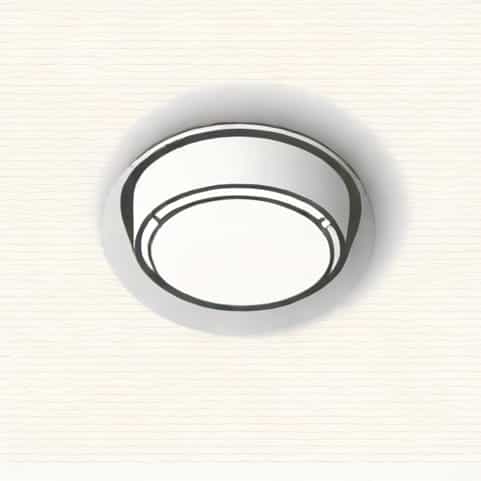
Few things are as irritating as a smoke detector that keeps beeping nonstop. That high-pitched sound is designed to alert you to danger, but when it becomes constant without a fire or smoke present, it can be frustrating and stressful. Hardwired smoke detectors, which are connected directly to your home’s electrical system, are particularly tricky because their continuous beeping often signals issues beyond just a low battery. Understanding why your hardwired smoke detector is beeping and how to address the problem safely is crucial for both your peace of mind and your household safety.
Why Hardwired Smoke Detectors Beep
Hardwired smoke detectors are designed with multiple fail-safes to ensure they function correctly at all times. The beeping sound is usually a warning rather than a malfunction. Common reasons for beeping include
- Low battery backupEven though the detector is connected to electricity, most hardwired detectors have a battery backup that powers the alarm during a power outage. If this battery is low, the detector will emit a periodic beep.
- Dust and debrisSmoke detectors can accumulate dust or cobwebs, which interfere with their sensors. This can trigger false alarms and periodic beeping.
- Electrical issuesLoose wiring, power surges, or interruptions in the home’s electrical supply can cause a hardwired smoke detector to beep.
- End of lifeSmoke detectors don’t last forever. Most units have a lifespan of 8 to 10 years. After this period, sensors may start malfunctioning, leading to intermittent beeping.
Safety Precautions Before Handling
Before attempting to stop a hardwired smoke detector from beeping, it’s important to prioritize safety. These devices are critical for alerting you to fire and smoke hazards, so disabling them without addressing the root cause can be dangerous. Some safety steps include
- Turn off the power at the circuit breaker to avoid electric shock while inspecting the unit.
- Have a ladder or stable platform ready if your detector is mounted on the ceiling.
- Keep a flashlight handy in case of power interruption during inspection.
- Wear gloves and a mask to prevent inhaling dust and to protect yourself from contaminants inside the detector.
Steps to Stop the Beeping
1. Replace the Backup Battery
Even if your smoke detector is hardwired, the battery backup can be the main cause of beeping. Open the detector’s cover, remove the old battery, and replace it with a new one that matches the manufacturer’s specifications. Make sure the battery is inserted correctly, and listen for a reset beep indicating the detector recognizes the new battery.
2. Clean the Smoke Detector
Accumulated dust and debris often cause false beeping. Use a soft brush or vacuum cleaner to carefully remove dust from the sensor area and vents. Avoid using water or harsh chemicals, as these can damage the electronics inside the detector. Regular cleaning every few months can prevent unnecessary alerts.
3. Check Electrical Connections
Loose wires or interruptions in the electrical connection can cause your hardwired smoke detector to beep. Turn off the power at the circuit breaker, remove the detector, and inspect the wiring. Make sure all connections are secure. If you notice frayed wires or other damage, it may be necessary to call a licensed electrician to avoid risks of electric shock or fire.
4. Reset the Smoke Detector
Many modern detectors have a reset button. After replacing the battery or cleaning the unit, press and hold the reset button for 15-30 seconds. This often stops the beeping and recalibrates the sensors. If your detector continues to beep after resetting, it may indicate a deeper problem requiring replacement.
5. Replace the Unit
If your smoke detector is over 10 years old or the beeping continues despite replacing batteries, cleaning, and checking connections, it’s time for a new unit. Hardwired detectors degrade over time, and sensors may fail, resulting in false alarms. Replace the detector with a model that meets current safety standards and is compatible with your existing wiring.
Additional Tips to Prevent Future Beeping
- Regularly test your smoke detectors once a month to ensure they are functioning correctly.
- Keep detectors free of dust, paint, and other debris that may interfere with sensors.
- Maintain electrical stability in your home to avoid surges that could trigger false alarms.
- Consider interconnected smoke detectors, which reduce the likelihood of isolated false alarms and provide alerts throughout your home.
When to Call a Professional
While many issues can be solved by homeowners, certain situations require professional help. If your hardwired smoke detector continues to beep despite all troubleshooting efforts, or if you notice signs of electrical damage, consult a licensed electrician or fire safety professional. It’s better to address the problem promptly than to risk a malfunction during an actual fire emergency.
Persistent beeping from a hardwired smoke detector can be annoying, but it’s usually a warning sign that shouldn’t be ignored. By understanding the common causes-low backup battery, dust, electrical issues, or aging sensors-you can take the right steps to stop the beeping safely. Regular maintenance, timely battery replacement, proper cleaning, and professional inspections are key to ensuring your smoke detector functions properly and your home remains safe. Following these steps not only silences the unwanted noise but also ensures your home protection system is fully operational when you need it most.